What you will be able to do
- Compare a spreadsheet, a general CRM and an industry client-management tool against your needs
- Define five to seven pipeline stages with clear rules for moving a lead between them
- Calculate stage-to-stage conversion rates and find where your pipeline leaks
A CRM, or customer relationship management system, is the place where every inquiry, quote, booking and past client lives, with a record of what was said and what happens next. Without one, leads live in a mix of inboxes, DMs and memory, and the busiest weeks of the year are exactly when they slip through. You do not need expensive software. You need one place, used every time.
Read the transcript
Choosing a CRM and setting pipeline stages.
A CRM, or customer relationship management system, is the place where every inquiry, quote, booking and past client lives, with a record of what was said and what happens next.
Without one, leads live in a mix of inboxes, DMs and memory, and the busiest weeks of the year are exactly when they slip through.
What a CRM does for an event business.
Strip away the features and a CRM does four jobs.
It holds the record. Contact details, event date, guest count, budget, source and every message, in one place anyone on the team can see.
Three kinds of tool.
Many businesses start with a spreadsheet and move to software when the spreadsheet starts losing leads.
That is a sound path, provided the spreadsheet has the same columns and stages you will use later, so the move is a copy and paste rather than a rebuild.
The selection checklist.
Before you pay for any tool, test it against your real work for a week using a free trial.
Score each question yes or no.
Setting your pipeline stages.
A pipeline stage is a step in the buying journey, with a clear rule for entering and leaving it.
Most event businesses need five to seven stages.
Worked example: finding the leak.
In the year before it added a follow-up sequence, Lantern and Lane ran its pipeline for twelve months and counted how many leads reached each stage.
Qualified: 112, which is 66 percent of inquiries
That is the lesson. The worksheet and the quiz are just below this video.
What a CRM does for an event business
Strip away the features and a CRM does four jobs.
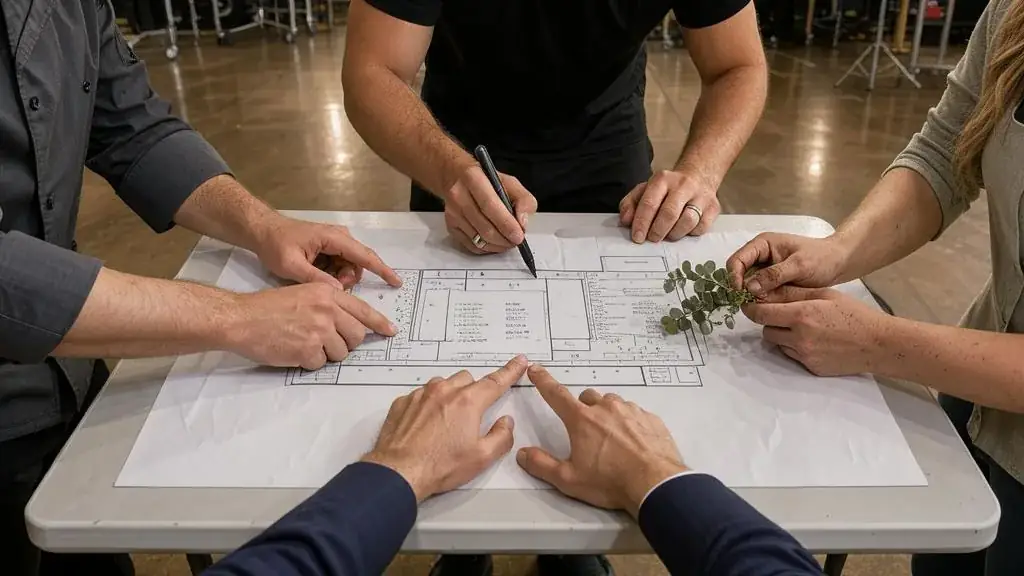
- It holds the record. Contact details, event date, guest count, budget, source and every message, in one place anyone on the team can see.
- It shows the pipeline. At a glance, how many leads are new, how many quotes are waiting, and how much revenue is likely to close this month.
- It prompts the next step. A task or reminder on every open lead, so nobody waits a week for a reply because you forgot.
- It remembers past clients. Event dates, anniversaries and what they booked, so you can bring them back at the right time.
If your current system does all four, keep it. If it does not, it is time to change.
Three kinds of tool
| Option | Typical fit | Strengths | Weaknesses |
|---|---|---|---|
| A structured spreadsheet | A solo vendor with fewer than about 10 inquiries a month | Free or cheap, fully flexible, easy to start today | No reminders or email history; breaks down when two people edit it; easy to stop updating |
| A general CRM such as HubSpot, Zoho or Pipedrive | Teams, corporate and B2B sellers, businesses with several sales stages | Pipelines, email tracking, tasks, reporting, integrations with forms and email platforms | Setup time; you must adapt general sales language to events; costs rise with users and features |
| A client-management tool built for creative and event businesses | Photographers, planners, performers and small studios who quote and book individual events | Inquiry forms, proposals, contracts, invoices and payment schedules in one flow | Less flexible reporting; check Canadian currency, HST handling and payment options before you commit |
Many businesses start with a spreadsheet and move to software when the spreadsheet starts losing leads. That is a sound path, provided the spreadsheet has the same columns and stages you will use later, so the move is a copy and paste rather than a rebuild.
Whatever you choose, the rule is the same: if a lead is not in the system, it does not exist. A DM, a voicemail or a card from a wedding show goes into the CRM the same day, with its source and a next step, or it will be forgotten in the first busy week.
The selection checklist
Before you pay for any tool, test it against your real work for a week using a free trial. Score each question yes or no.

- Can an inquiry from my website form land in it automatically, with the source recorded?
- Can I see all open leads by stage on one screen?
- Can I set a follow-up reminder on every lead in two clicks?
- Does it store the event date as a proper date, so I can search and sort by it?
- Can I record consent for marketing email, with its type and date?
- Does it connect to my email account, so messages are logged without copying?
- Can it send quotes and invoices in Canadian dollars with HST shown correctly, or connect to the accounting tool that does?
- Does it work well on my phone, at a venue, between set-up and service?
- Can I export all my data if I leave?
- Is the monthly cost affordable at the number of users I will have in two years?
A tool that scores eight or more out of ten is a candidate. The last two questions matter more than they look. A CRM you cannot leave owns your client list, which defeats the point of owning it.
Setting your pipeline stages
A pipeline stage is a step in the buying journey, with a clear rule for entering and leaving it. Most event businesses need five to seven stages. More than that and nobody updates them; fewer and you cannot see where leads stall.
| Stage | Enters when | Leaves when |
|---|---|---|
| 1. New inquiry | A form, email, call or DM arrives with a real event in mind | You have replied and either qualified or disqualified it |
| 2. Qualified | Date, guest count, budget and service fit are confirmed | A call or meeting is booked, or a quote is sent |
| 3. Consultation | A call, tasting, site visit or meeting is scheduled | It has happened and a quote is being prepared |
| 4. Quote sent | The client has a written quote or proposal | They accept, decline or go silent past your follow-up sequence |
| 5. Booked | Contract signed and deposit received | The event takes place |
| 6. Completed | The event is delivered and final payment received | Moves to past-client nurture |
| Lost | The client says no, books elsewhere or never responds | Record the reason, then archive |
Two rules keep stages honest. First, a lead moves only when the exit condition is met, not when you feel hopeful. Second, every lost lead gets a reason: price, date unavailable, chose another vendor, event cancelled, no response. After a season, those reasons are among the most useful marketing data you own.
Worked example: finding the leak
In the year before it added a follow-up sequence, Lantern & Lane ran its pipeline for twelve months and counted how many leads reached each stage.

- New inquiries: 170
- Qualified: 112, which is 66 percent of inquiries
- Consultation: 80, which is 71 percent of qualified leads
- Quote sent: 72, which is 90 percent of consultations
- Booked: 26, which is 36 percent of quotes
The overall conversion from inquiry to booking is 26 divided by 170, about 15 percent. The weakest step is from quote to booking. Marco reads the lost reasons for the 46 quotes that did not book: 19 have “no response” recorded. That points to follow-up, not price. If a written follow-up sequence lifts quote-to-booking from 36 to 45 percent, the same 72 quotes produce about 32 bookings instead of 26. At an average of $5,800, that is $34,800 more revenue with no extra inquiries. The figures are an example; the method is the point.
In Canada and the GTA
Your CRM is a store of personal information. PIPEDA applies to private-sector organizations that collect, use or disclose personal information in the course of commercial activity, and the Office of the Privacy Commissioner says it generally applies to private-sector organizations doing business in Ontario. A CRM full of names, phone numbers, event dates, budgets, guest lists and dietary or accessibility notes is exactly that kind of information. Choosing and setting up a CRM is a privacy decision as well as a sales one.
PIPEDA’s ten fair information principles start with accountability. Name one person in your business who is responsible for privacy, even if that person is you. Three other principles shape how you set up the tool:
- Limiting collection. Create fields for what you need to quote and deliver. Avoid free-text fields that invite people to record sensitive details they do not need, such as health information beyond a dietary or accessibility requirement.
- Limiting use, disclosure and retention. Decide how long you keep records of lost leads and past clients, and delete or anonymize them after that. Keeping a past client’s event date to send an anniversary note is a use they would expect; keeping a lost lead’s budget for ten years is not.
- Safeguards. Turn on two-factor authentication, give each team member their own login, and limit export rights. A shared password for the whole team makes it impossible to know who did what.
Breaches. If your CRM is compromised, you must report to the OPC any breach posing a real risk of significant harm to individuals and notify affected people as soon as feasible. You must also keep a record of all breaches for 24 months, including small ones that do not meet that threshold. Read the OPC’s guidance on breaches.
Tell clients where their data goes. Most CRMs are cloud services, and the OPC’s guidance on meaningful consent says to emphasize which parties receive personal information and why. Your privacy policy should say that you use a customer management service to store inquiries and bookings.
Quebec clients. Only Alberta, British Columbia and Quebec have general private-sector privacy laws deemed substantially similar to PIPEDA. If you serve clients in Quebec, which many Ottawa and eastern Ontario vendors do, check what Quebec’s law requires.
Fields Canadian businesses need
Consent fields. Under CASL, the onus is on the sender to prove consent. Add fields for consent type (express or implied), the date, the source and the wording shown. Add a field for the date implied consent expires: 6 months after an inquiry, 2 years after a purchase.
HST and invoicing. If your CRM or client-management tool issues invoices, check that it handles Ontario’s 13% HST correctly. The CRA says that where HST applies, you show the total rate of 13%, not separate federal and provincial parts. For sales of $100 to $499.99, an invoice must indicate the GST/HST charged and your registration number; for $500 or more, it must also include the buyer’s name, a brief description of the services and the payment terms. Most event bookings are over $500, so build those fields into your invoice template. Tools designed for the United States sometimes handle sales tax in ways that do not match this, so test before you commit.
Currency and payments. Confirm that the tool invoices in Canadian dollars and works with payment methods your clients use, including Interac e-Transfer if you accept it. Record how you take payment in the welcome email, so a fake request stands out.
Seasonal capacity. Set up the CRM in January to March, when the GTA event calendar is quieter. Switching systems in May, as wedding season begins, or in November, during holiday party season, is how leads get lost.
Worksheet
Download the worksheet and complete it for your own business, using Lantern & Lane as the model where it helps. Keep it with your marketing plan. It takes about 10 minutes.
Check your understanding
Related guides, venues and vendors

Stage
Production & AV
A raised platform for performers and speakers, built from risers or supplied by the venue.
Read more
Module 10 workshop: an inquiry-to-booking pipeline
Module 10: Email, CRM and Follow-Up · 15 min
A step-by-step workshop that builds a complete inquiry-to-booking pipeline for your business: stages, CRM fields, an inquiry form with consent, first replies,…
Read more
Stage illusion
Entertainment
Large-scale magic performed on a stage for the whole audience, often with props, assistants and lighting cues.
Read more