Virtual, hybrid, hub-and-spoke; platform features that matter and the ones that do not.
Read the transcript
Choosing a format and platform.
Virtual, hybrid, hub-and-spoke; platform features that matter and the ones that do not.
Three formats, three different events.
"Can we make it hybrid?" is the most common question we get from corporate clients, and it is usually the wrong first question.
The right first question is: who needs to be in the same room, and why?
Platform features that matter.
Platforms sell long feature lists.
Most of them will never be touched on the day.
Features that do not matter.
Virtual lobbies with clickable booths, avatars walking around 3D venues, gamified leaderboards for a 90-minute internal meeting, virtual swag bags.
Some of these have a place at a multi-day virtual trade show.
Worked example: the company town hall.
Our running example for this track is a 300-person Toronto company holding its quarterly town hall: 90 minutes on a Wednesday at 10 a.m.
Leadership wants to be in front of people after a reorganization.
Common mistakes.
Choosing hybrid because it sounds inclusive, then budgeting for an in-person event with a webcam. Remote attendees notice within a minute.
Picking a platform from a demo of features you will not use.
That is the lesson. The worksheet and the quiz are just below this video.
Three formats, three different events
“Can we make it hybrid?” is the most common question we get from corporate clients, and it is usually the wrong first question. The right first question is: who needs to be in the same room, and why? The answer picks the format, and the format picks the budget. A hybrid event is not an in-person event with a webcam on a tripod. It is two events running on one clock, and it costs like two events.
| Format | What it is | Good for | Cost driver |
|---|---|---|---|
| Fully virtual | Everyone joins online; presenters may be in a studio or at home | Information sessions, training, spread-out teams, short town halls, webinars | Production crew and platform; no venue, no catering |
| Hybrid | A live audience in a room plus a remote audience watching and taking part | Town halls, AGMs, launches, conferences where the room matters but not everyone can travel | Venue and catering plus broadcast-grade production; the most expensive per minute |
| Hub-and-spoke | Several smaller rooms in different cities, linked to one main stage, sometimes with remote individuals too | National companies with regional offices; events where local networking matters | A modest room and a local host at each hub, plus a reliable link between them |
Pick fully virtual when the content is the point and the relationships are already built. Pick hybrid when leadership needs to be seen in front of a live room and the remote audience must not feel like eavesdroppers. Pick hub-and-spoke when the company has clusters of people in a few places and the real value is them being together locally.
Platform features that matter
Platforms sell long feature lists. Most of them will never be touched on the day. These are the ones that change outcomes:
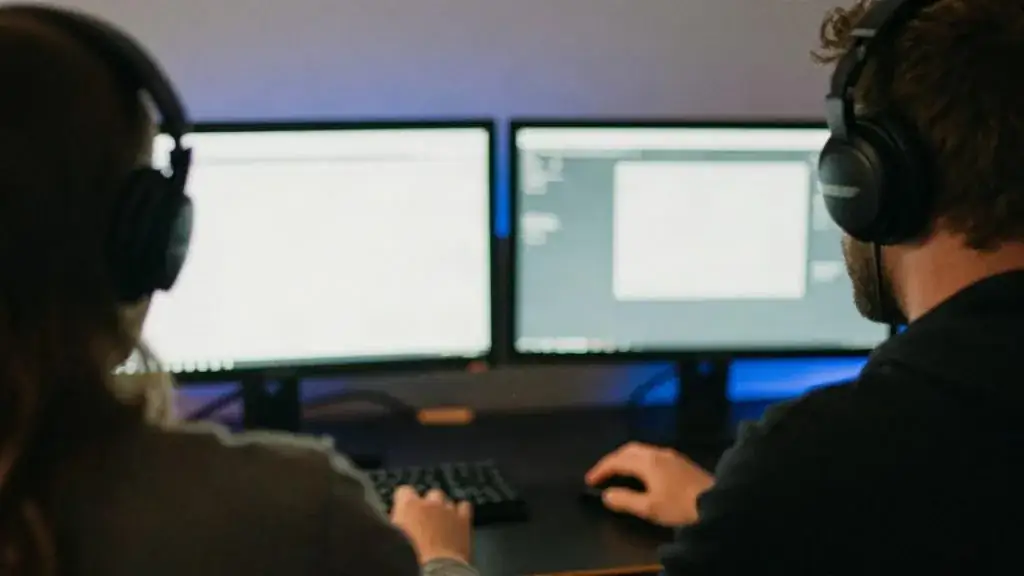
- Reliable stream quality with a backup path. Can the production team feed it from an encoder, not just a laptop webcam? Is there a backup stream key or a second ingest?
- Single sign-on or simple join. For an internal event, joining with the company login removes a whole category of help-desk tickets. For an external one, a one-click link with no download.
- Moderated Q&A with upvoting. So the moderator can see what the room wants and screen out the duplicates and the unhelpful.
- Polls the producer can fire on cue and show on the main screen in the room as well as online.
- Live captions and the option to bring in a human captioner or ASL interpreter feed. Under AODA practice, captions on request are part of a basic accessible event; build them in from the start.
- Breakout rooms if you will actually use them (see lesson 3).
- Attendance and engagement data you can export per person and per minute, so lesson 5 is possible.
- Recording and on-demand hosting, with access controls.
Features that do not matter
Virtual lobbies with clickable booths, avatars walking around 3D venues, gamified leaderboards for a 90-minute internal meeting, virtual swag bags. Some of these have a place at a multi-day virtual trade show. For a town hall, a training day or a product launch, they add cost, help-desk calls and a learning curve to the one thing that matters: people seeing and hearing the content and being able to respond. If the client’s IT team already licenses a mainstream meeting or webinar platform, start there and only move if a must-have feature is missing.
A word on privacy. Registration, attendance logs, chat and Q&A are personal information. Under PIPEDA, collect only what you need, say what it is for and how long you keep it, and delete it when done. If the session is recorded, say so on the registration page and at the start of the stream.
Worked example: the company town hall
Our running example for this track is a 300-person Toronto company holding its quarterly town hall: 90 minutes on a Wednesday at 10 a.m. Leadership wants to be in front of people after a reorganization. About 140 staff are in the downtown head office; another 60 are split between a Mississauga office and an Ottawa office; 100 work remotely across Ontario.

Fully virtual was rejected because the CEO wanted to stand in a room after a hard quarter. Fully in-person was rejected because asking 160 people to travel for 90 minutes is not reasonable. The answer was hybrid with two small hubs: a main room in a downtown hotel meeting space for the 140, a booked boardroom with a screen and a local host in Mississauga and Ottawa, and individual remote joins for the other 100.
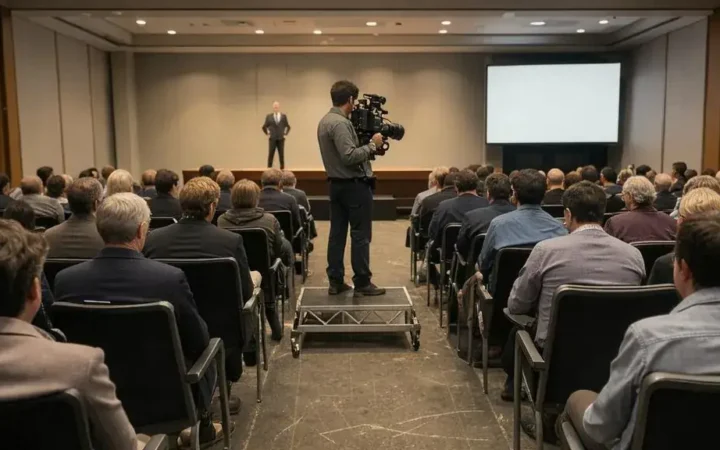
The main room needed to seat 140 theatre-style with a stage, a camera riser and a tech table. At the Ontario Building Code theatre load of 0.75 m² per person, 140 people need at least 105 m² for the seating alone; with the riser, aisles, the tech table and a coffee station we asked for rooms of 180 m² or more and checked each one’s posted occupant load. The venue capacity calculator does this arithmetic for you.
Platform: the company already licensed a mainstream webinar product with SSO, moderated Q&A, polls and auto-captions. We kept it, added a human captioner for the 20-minute CEO segment because the reorganization news had to be exact, and dropped a vendor pitch for a 3D virtual venue.
Common mistakes
- Choosing hybrid because it sounds inclusive, then budgeting for an in-person event with a webcam. Remote attendees notice within a minute.
- Picking a platform from a demo of features you will not use.
- No backup stream path. When the venue Wi-Fi drops, there is no second chance.
- Leaving captions as an afterthought. Ask about accessibility needs on the registration form and plan for them.
- Recording without telling people. Say it on registration and on screen.
Worksheet
Apply this lesson to a real or practice event using the worksheet, then mark the lesson complete to track your progress toward the certificate.

Related guides, venues and vendors
Hybrid logistics and the two-audience problem
Specialist · Virtual & Hybrid · 15 min
Serving the room and the screen at once; timing, catering, networking.
Read more
Engagement design
Specialist · Virtual & Hybrid · 15 min
Segments under 20 minutes, chat moderation, polls, breakout rooms and remote entertainment.
Read more
Measuring virtual events
Specialist · Virtual & Hybrid · 15 min
Attendance curves, engagement metrics, leads and content reuse.
Read more